
Recently, developer William Schack released Repetitionless, a tool built to deal with a common issue in environment art: visible texture repetition.
This project started around two years ago, at a time when most solutions focused on basic stochastic sampling and were not always easy to integrate, according to William.
This project started around two years ago, at a time when most solutions focused on basic stochastic sampling and were not always easy to integrate, according to William.
The idea was to bring several approaches together into something that could be applied directly to materials and terrains.
Ive made a tool to easily remove texture repetition from materials and terrains!
by u/Chazburger_ in Unity3D
Breaking Up Repetition
To break up visible tiling, the shader uses several techniques that work together.
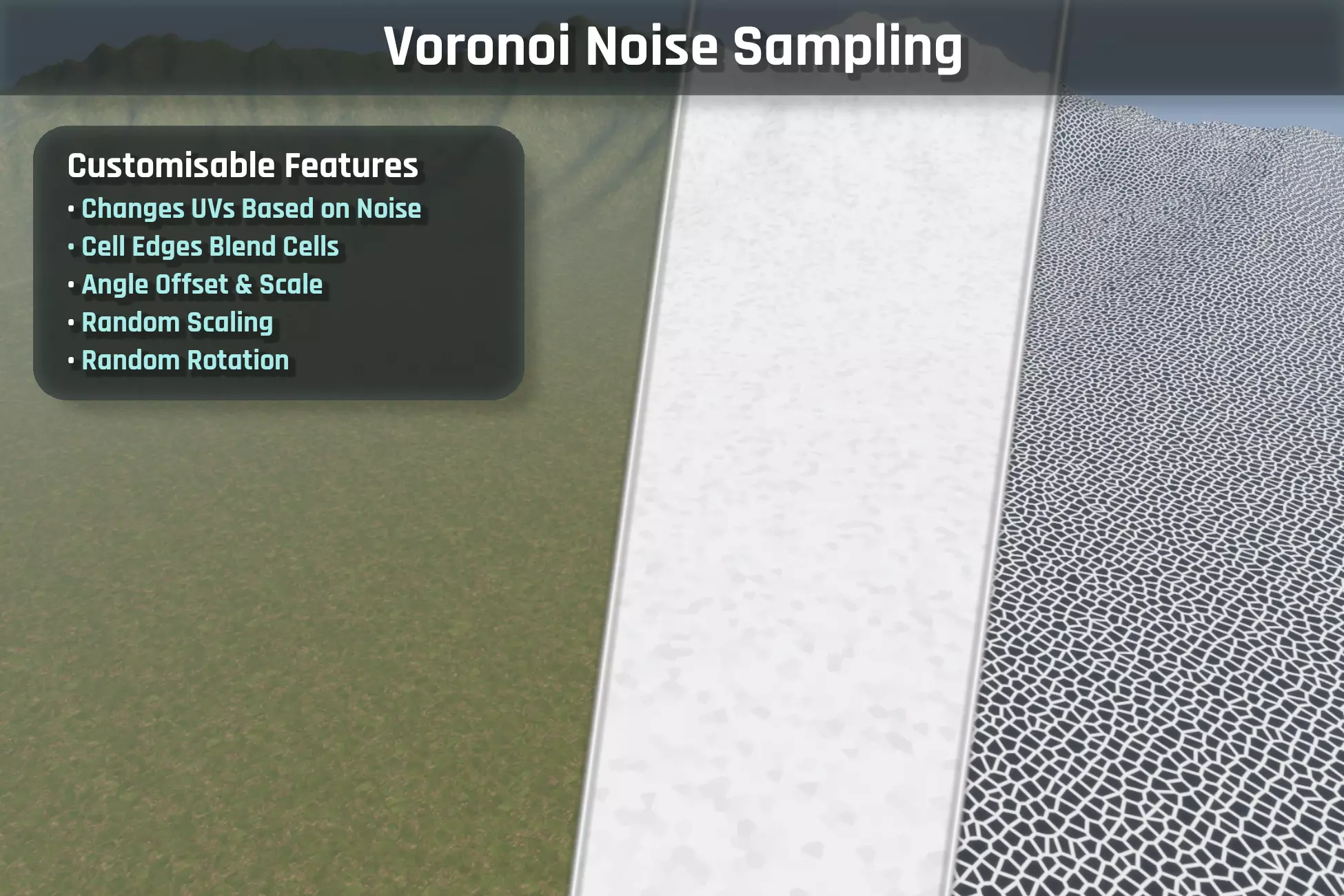
One of the main ones is Voronoi-based variation, which splits the texture into cells and blends between them. Each cell can apply small changes like rotation or scaling, helping break uniform patterns.
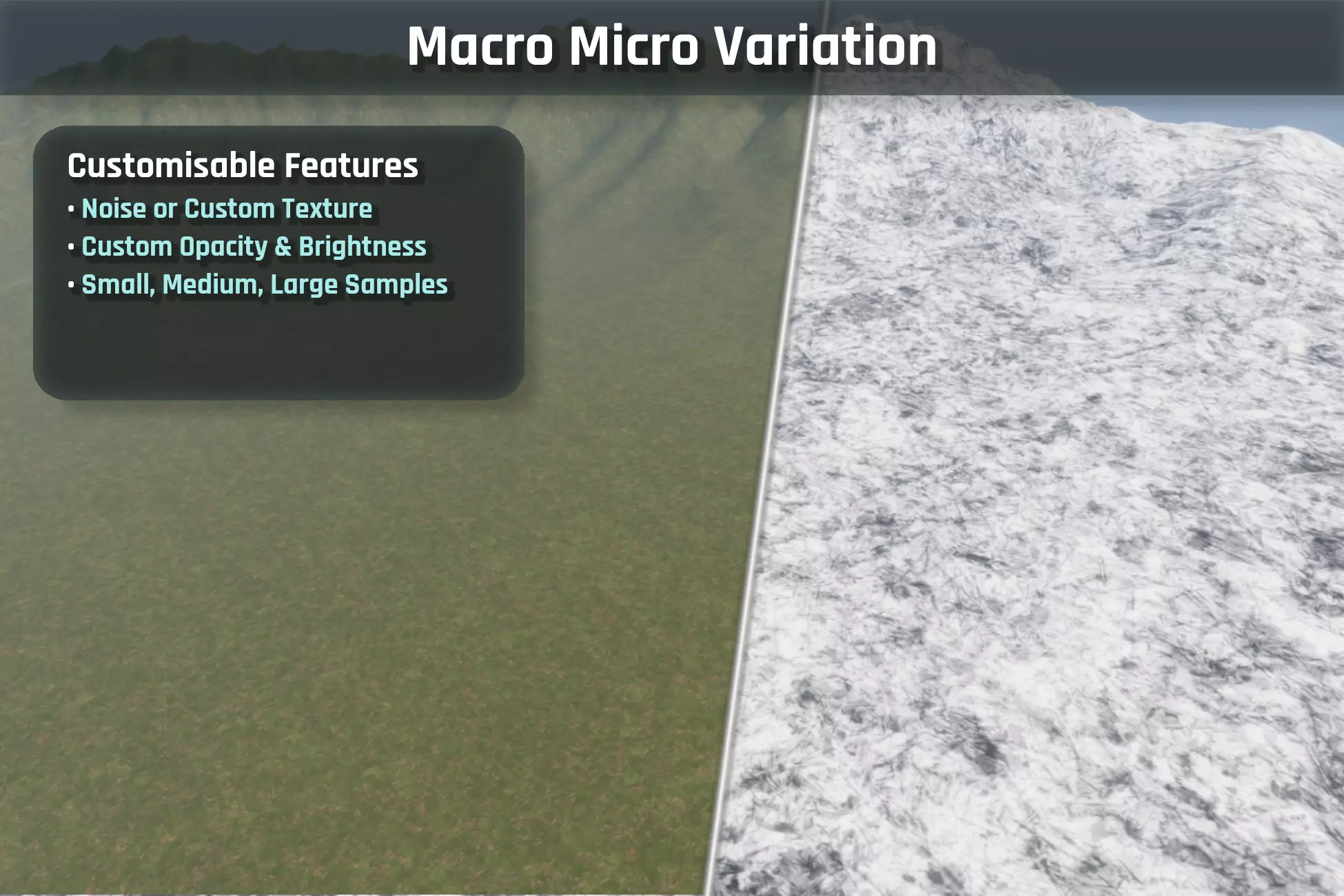
There is also support for triplanar sampling, which helps avoid stretching when surfaces are viewed from different angles, and macro/micro variation, where additional textures or noise are layered to introduce more detail.
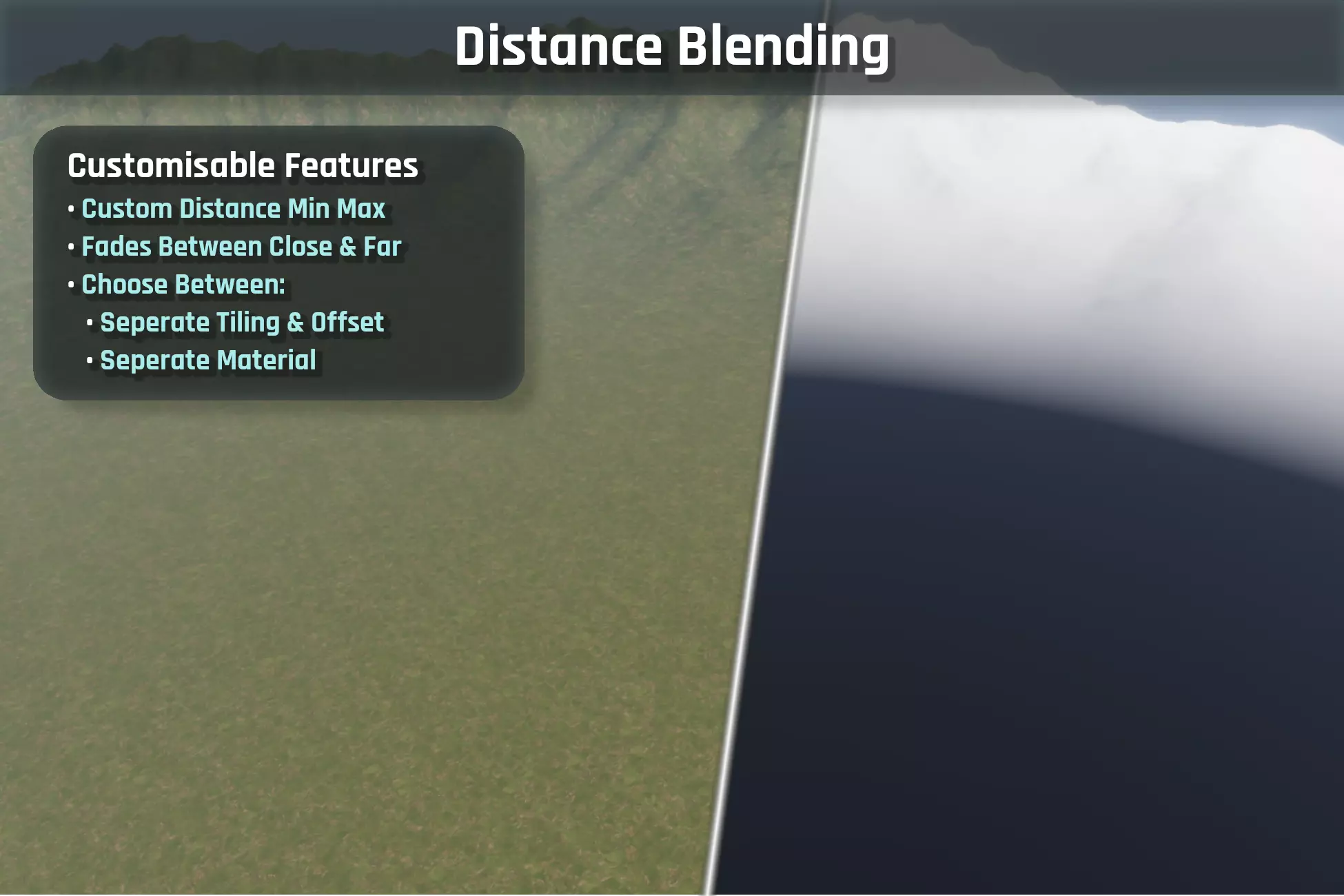
Another part of the system is distance blending, which allows materials or tiling values to change depending on how far the surface is from the camera. This helps reduce repetition over large areas without affecting close-up detail.
Material and Terrain Support
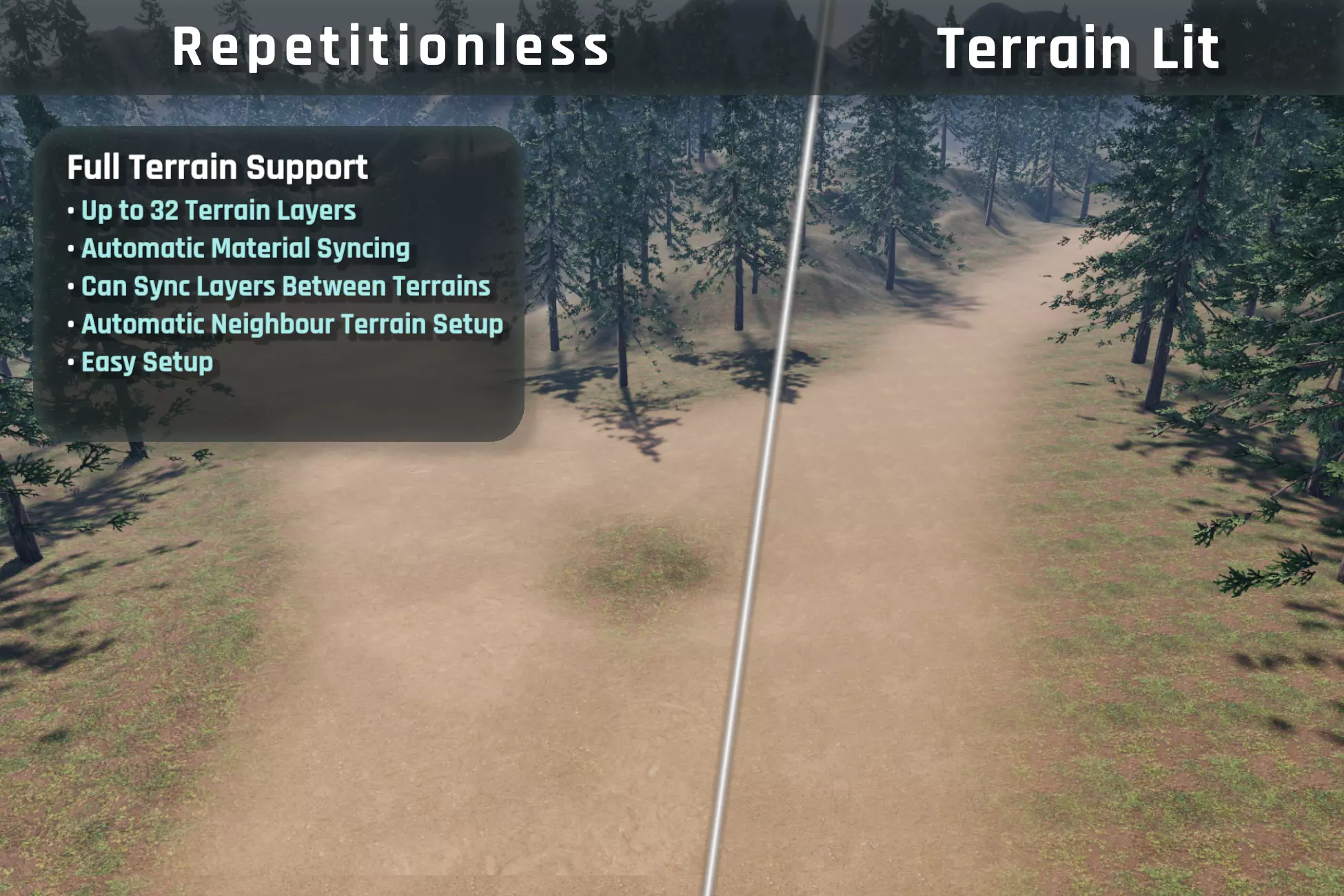
Repetitionless is designed to work across both standard materials and terrains.
For terrains, the tool supports up to 32 layers in a single pass, with a custom component handling how textures and materials stay in sync. Once set up, changes to terrain layers can automatically update the material.
For terrains, the tool supports up to 32 layers in a single pass, with a custom component handling how textures and materials stay in sync. Once set up, changes to terrain layers can automatically update the material.
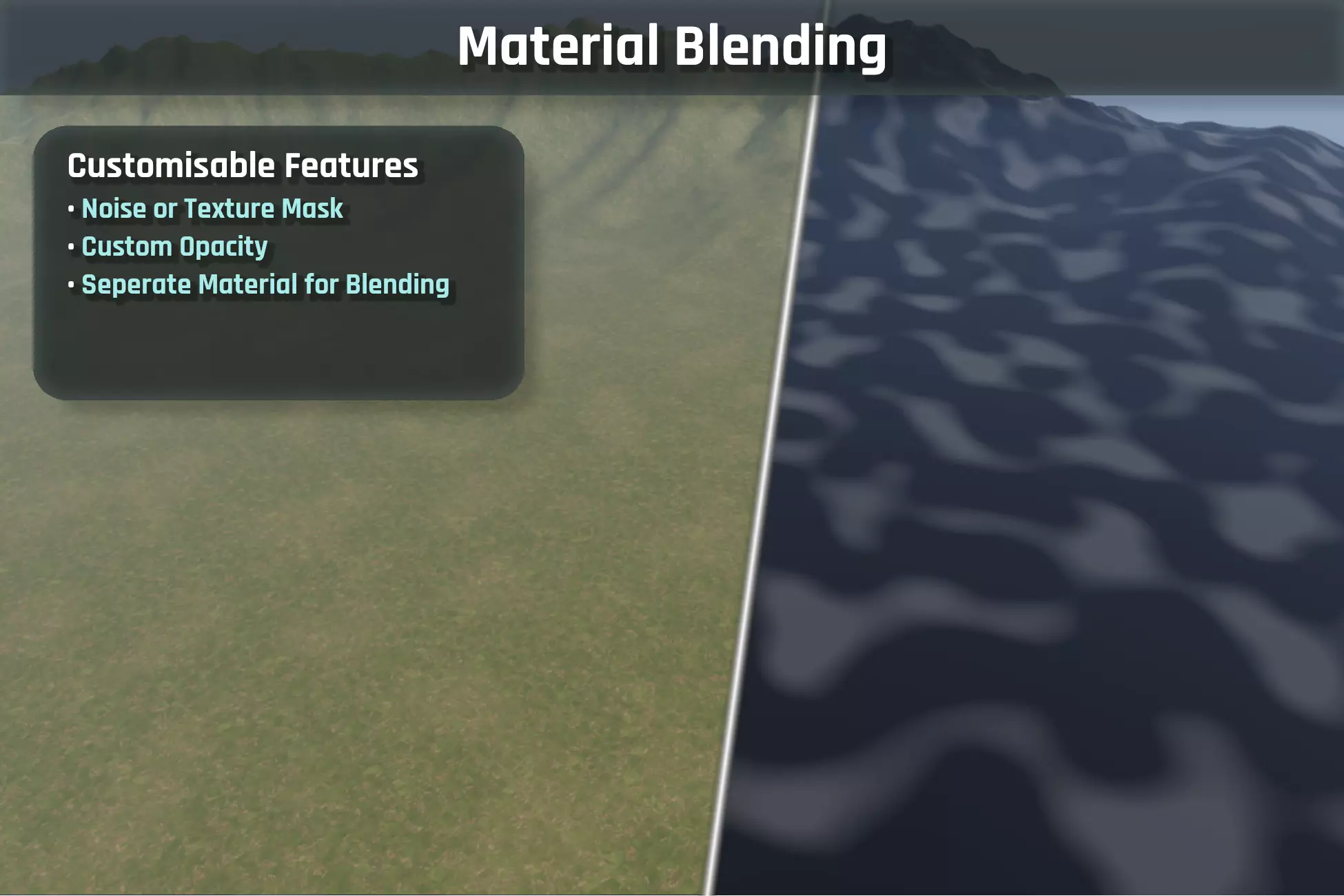
The system includes material blending, allowing additional layers to be overlaid using noise or custom masks. This makes it easier to mix different surface types without repeating patterns becoming obvious.
Materials can also be converted from standard lit shaders, keeping their original settings while switching to the "repetitionless" version.
How Data Is Stored
Each material comes with its own data folder, which is managed automatically. Textures are then packed into arrays to reduce the number of samples in the shader.
These arrays group different channels together, such as albedo with variation, or normals with smoothness and occlusion. This helps keep things efficient, although it does mean each array needs to use a consistent resolution.
To keep things manageable with many layers, the system relies on texture arrays and packed data, reducing the number of inputs the shader needs to handle.
To keep things manageable with many layers, the system relies on texture arrays and packed data, reducing the number of inputs the shader needs to handle.
Working with Shaders
You can use the shaders as they are, or bring parts of the system into your own setup through the included sub-graphs and functions. This lets you reuse things like variation or blending without bringing in the full shader.
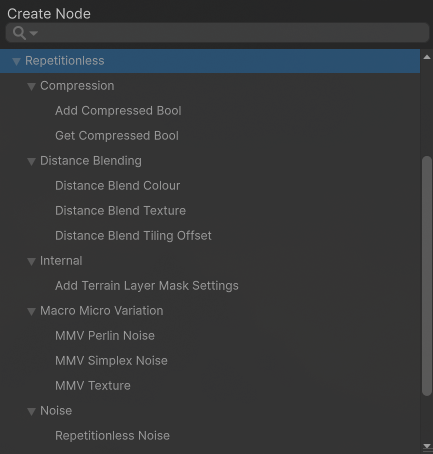
A recent update also made it easier to create and convert materials. Instead of setting everything up manually, you can now do it through a button.
Why It Was Built
William mentioned that the project started mainly as a learning exercise, but also as a response to the lack of flexible tools for handling texture repetition at the time.
As more features were added, it grew into a more complete system, bringing different techniques together in a way that could be applied directly in production.
If you’d like to follow updates or check out the tool, you can do it here:
- William’s website: https://wilschack.dev/
- Repetitionless page: https://assetstore.unity.com/packages/tools/terrain/repetitionless-345604
Interested in learning more?
If you’re interested in the technical side of game development, The Unity Dev Bundle brings together six books covering shaders, math, procedural shapes, editor tools, and character customization in Unity.
It includes titles like The Unity Shaders Bible and Mastering Compute Shaders in Unity 6, and is aimed at developers and technical artists looking to build a stronger foundation and expand into more advanced graphics and systems.
This is the ultimate Unity bundle to introduce yourself to Technical Art. It includes tools, shader implementation, math, and animation. Only $49.99 for a limited time! ✨ https://t.co/1eA8907m5M#unity3D #indiedev #gamedev pic.twitter.com/G0VDiCN79Z
— Shaders Bible Series (@ushadersbible) March 24, 2026
Jettelly wishes you success in your professional career!
Did you find an error? No worries!
Write to us at [email protected], and we'll fix it!
.png)
Level up your Technical Art skills in Unity! Grab our bundle and start learning today.
We invite you to explore "The Unity Dev Bundle", a comprehensive bundle on the concepts and fundamentals seen in this post.
Other posts that might interest you.
-
 How can character aiming be handled without relying on aim offsets? FocalRig, a Control Rig plugin for UE by Maks Maisak, uses a procedural approach.
 -
 3D artist Aidan Mattheus shared a set of Blender compositor nodes designed to recreate lens and film effects in one single setup.
 -
 How can a game simulate the way real waves break near the shore? Developer FinSaltSwell showed us the approach used in their early surfing prototype, Swell.
