
Dialogue systems can become complex quickly, especially when branching logic, variables, translations, and event triggers are involved. While Godot provides the building blocks, structuring a reusable and scalable dialogue framework often requires a significant amount of custom tooling.
Sprouty Dialogs, created by Kazymila, was originally developed as an internal system for the author’s game One Cake Day. Over time, the tool evolved into a full editor plugin after roughly a year of development. Instead of keeping it project-specific, it was expanded and released as a standalone plugin aimed at simplifying dialogue creation inside Godot.
The stated goal is to provide a customizable and extensible dialogue system that removes the need to build one from scratch, particularly for narrative-heavy projects.
I just release Sprouty Dialogs! A graph-based visual dialogue system plugin for Godot 4.5+
by u/Kazymila in godot
Visual Graph-Based Dialogue Editing
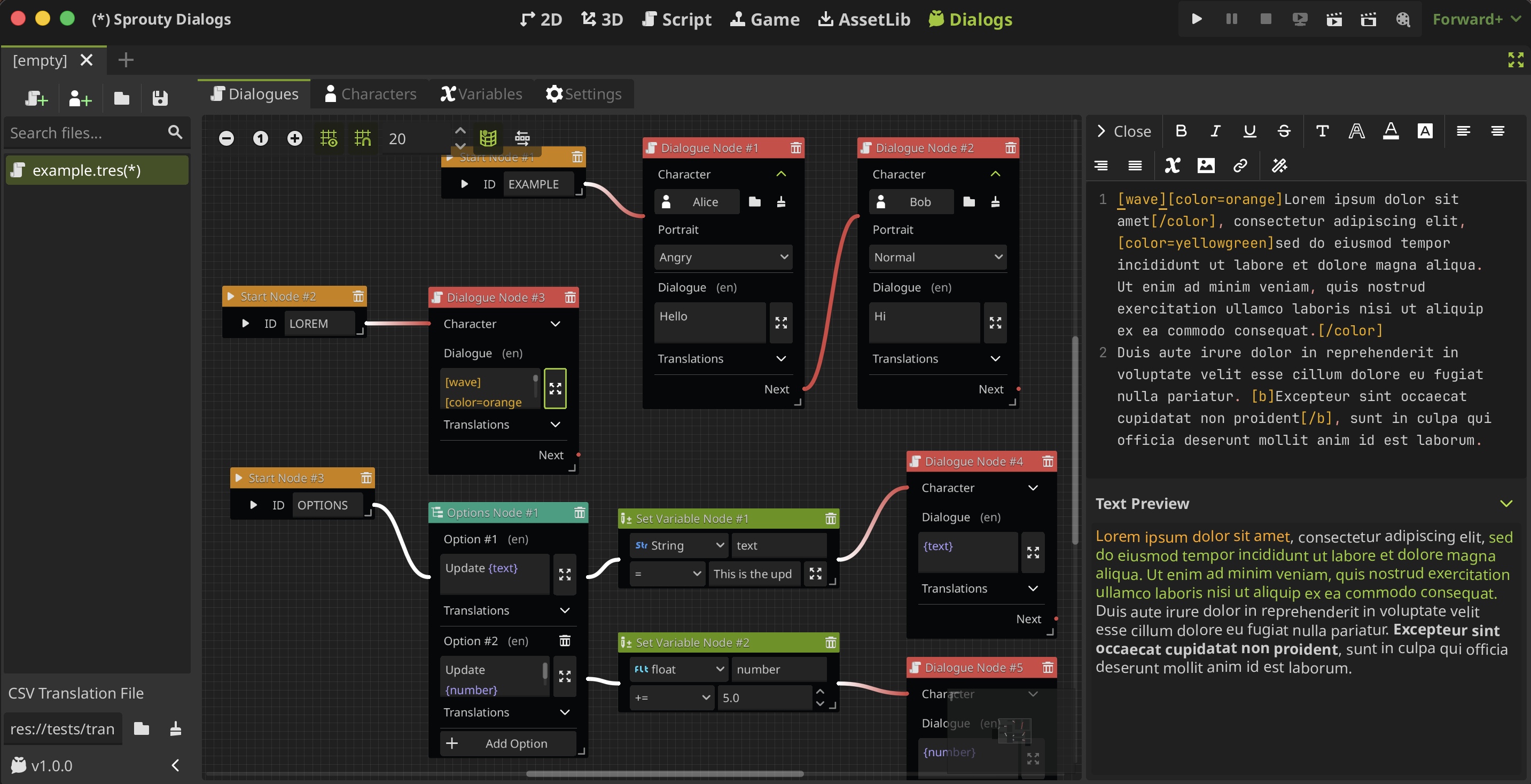
At the center of Sprouty Dialogs is a node-based dialogue editor. Conversations are created as visual graphs, where dialogue lines, branches, and conditions are connected in a spatial layout.
Multiple dialogue trees can exist within a single dialogue file, allowing developers to organize conversations by quest, character, or gameplay context. This makes it easier to inspect flow and branching logic without navigating long script files.
The system is designed to keep dialogue structure visible and editable directly inside the engine.
Text Formatting and BBCode Support
Dialogue lines are written using an integrated text editor with BBCode support. This enables formatted text such as bold, color changes, and other styling without additional UI scripting.
Because formatting is handled inside the dialogue editor, presentation adjustments can be made during writing, instead of being deferred to UI implementation later in production.
Character and Portrait Management
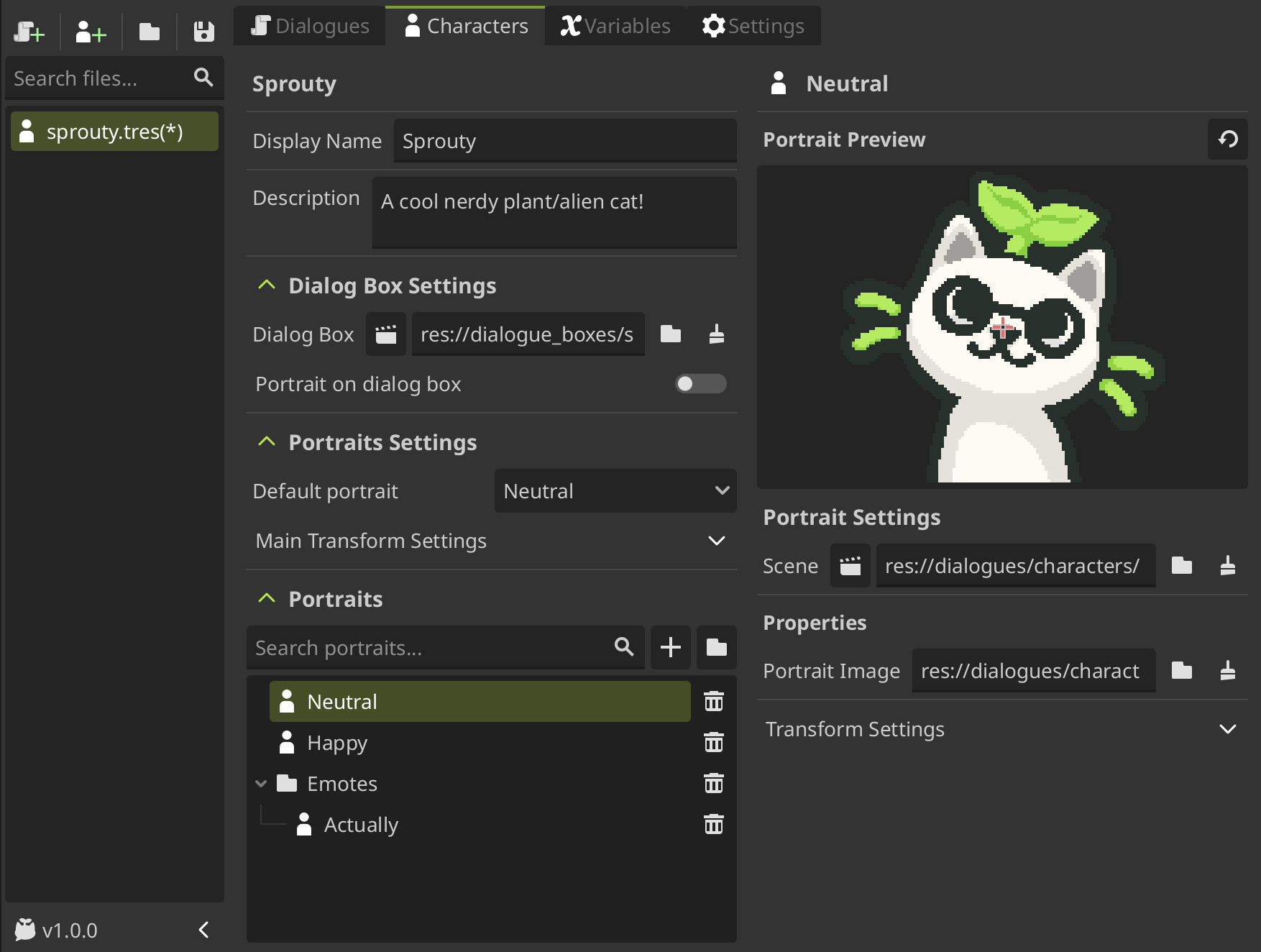
Sprouty Dialogs includes a character editor that separates character configuration from dialogue flow.
Developers can:
- Create character profiles
- Assign custom dialogue boxes per character
- Manage multiple portraits
- Translate character names
This structure helps maintain consistency across conversations while keeping dialogue logic independent from visual styling.
Variables, Conditions, and Gameplay Integration
The plugin supports variables that influence dialogue flow. These variables can be used for conditional branching, dynamic text parsing, or tracking state across multiple conversations.
Signals are also supported, allowing dialogue nodes to trigger events within the game. In addition, custom event nodes can be created to execute project-specific logic directly from the dialogue graph.
This makes the system suitable not only for linear conversations, but also for reactive dialogue tied to quests, inventory, reputation systems, or gameplay triggers.
Built-In Translation
Sprouty Dialogs supports translations through .tres files or CSV files. Dialogue and character data can be localized without leaving the editor.
Translations can be edited directly inside Godot, keeping localization within the same workflow as dialogue authoring.
In-Editor Preview
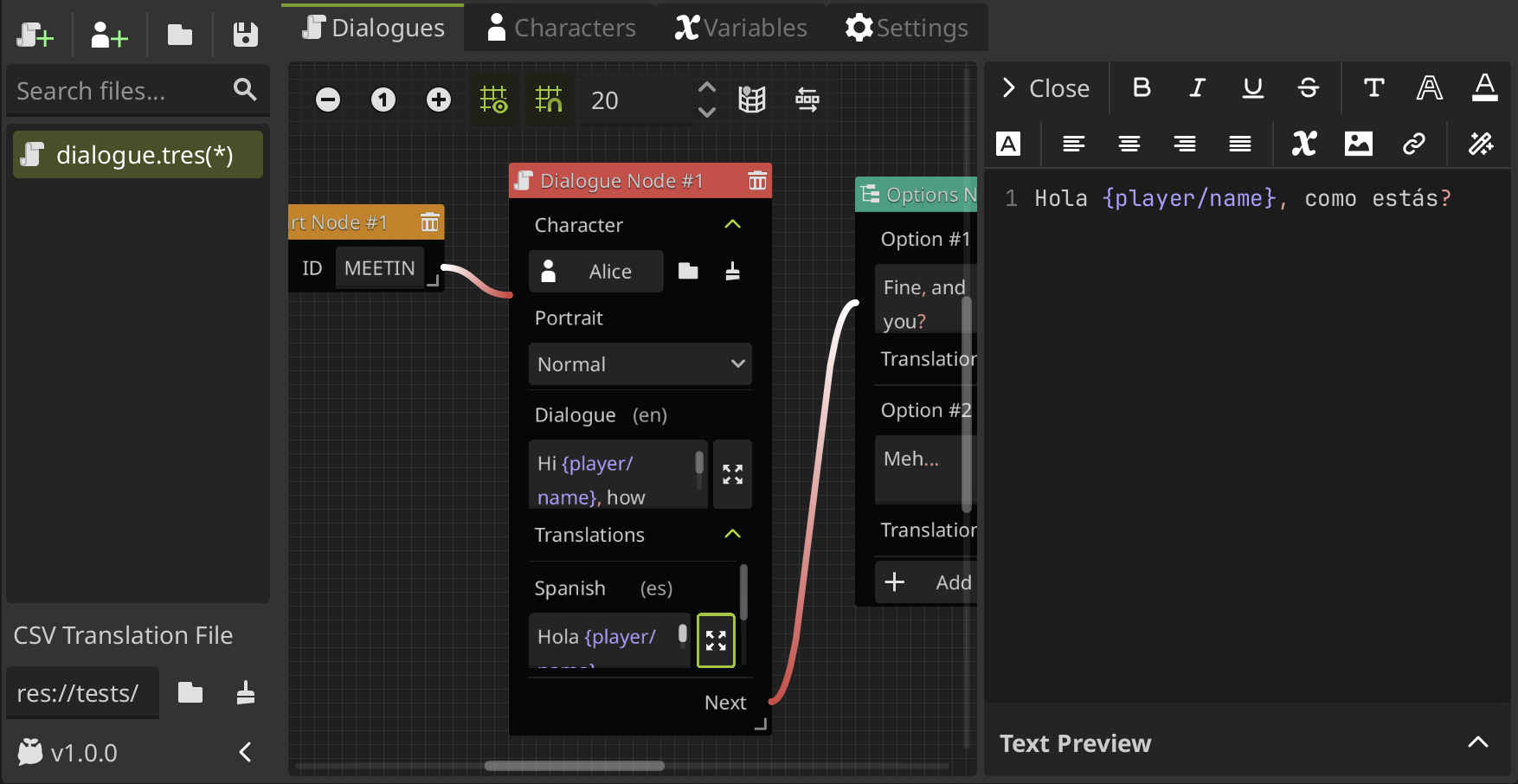
The plugin includes a dialogue preview system inside the editor. This allows developers to test dialogue flow, formatting, and conditions without running the full game.
For projects with frequent dialogue iteration, this can shorten feedback cycles and simplify debugging.
Where Sprouty Dialogs Fits Best
Sprouty Dialogs is most relevant for developers who:
- Prefer visual, graph-based dialogue authoring over code-driven systems
- Need built-in support for branching logic and conditional variables
- Want dialogue, characters, and translations managed inside the editor
- Are working on narrative-heavy projects or RPG-style interaction systems
Similar and Useful Alternatives
- Dialogue Manager: A branching dialogue editor and runtime plugin for Godot that lets you write dialogue in a script-like format with a built-in syntax checker and fetch lines via a global manager. It’s simple to set up and works well for conditional dialogue and basic dialogue trees.
Differences: Dialogue Manager is script-centric rather than graph-based. Sprouty Dialogs offers a visual node graph and editor UI to design and preview dialogues, while Dialogue Manager focuses on lightweight, text/script dialogue workflows.
- Dialogue Nodes: A Godot plugin that extends the editor with a graph-visual dialogue tree editor and lets you preview dialogues in-editor, with support for variables, portraits, BBCode, and branching.
Differences: Dialogue Nodes is quite similar to Sprouty Dialogs in that it uses graph visual editing for branching dialogues. Sprouty Dialogs adds additional features like character editors and signals support, Dialogue Nodes is more focused on the core dialogue graph and in-scene execution.
✨ Sprouty Dialogs is currently available to download on GitHub.
📘 Check out The Technical Artist Bundle, a complete learning path covering shader programming, essential game-dev math, and procedural image generation through three in-depth books.
If you're getting into technical art, this bundle might be exactly what you need. From math visualization to shader development in Unity. Check it out! ✨ https://t.co/kEsRlle0dM#madewithunity #indiedev #3DCG pic.twitter.com/cfgxd445r6
— The Unity Shaders Bible (@ushadersbible) December 8, 2025
Jettelly wishes you success in your professional career!
Did you find an error? No worries!
Write to us at [email protected], and we'll fix it!
Other posts that might interest you.
-
 We take a look at Universal Animation Library 2, a CC0 animation pack built around a universal humanoid rig and designed to work across Godot, Unity, and Unreal Engine.
 -
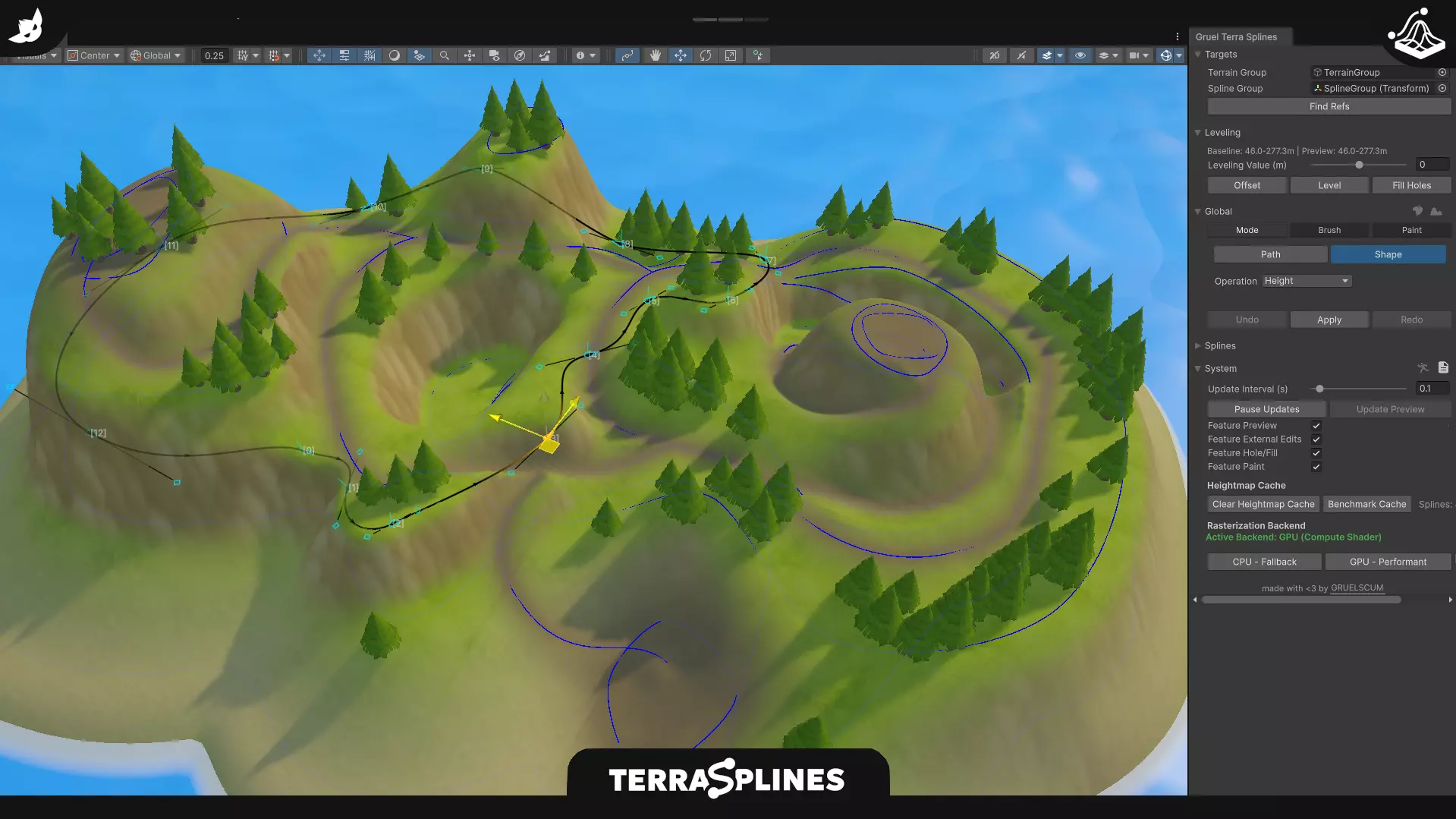 We take a look at TerraSplines, a Unity editor tool that uses spline-based workflows to edit terrain non-destructively, from paths and plateaus to painting and holes.
 -
 We take a look at Godot 4.6, covering key engine changes, workflow updates, and a selection of community tools built around the new release.
