
GPU Infinite Grass: A Grass Rendering System for Unity and VRChat.
by Vicente C.
Published |
9
Dense grass can become expensive to render, especially in large environments. GPU Infinite Grass approaches this by using GPU instancing, rendering batches of grass meshes instead of placing thousands of individual objects throughout a scene.
This system is meant for VRChat worlds running on Unity’s Built-in Render Pipeline, though the same setup can be used in other Unity projects using that same pipeline. Recently, the developer RED_SIM released version 1.2.0, introducing updates such as surface normal support, corrected light attenuation, Unity fog compatibility, and improvements to the editor interface.
GPU Infinite Grass v.1.2.0 released!
— RED_SIM (@RED_SIM) March 8, 2026
- Surface Normal support (better shading)
- Correct light attenuation (was broken before)
- Unity Fog support
- Editor GUI improved
- Other fixes
Already available on Booth and Patreon:https://t.co/yGgAVeWH4Xhttps://t.co/iTEgSkIcBD pic.twitter.com/20L6z9vUOP
GPU Instancing to Grass Rendering
GPU Infinite Grass renders vegetation using batched GPU instancing across mesh surfaces. Instead of placing many individual grass objects throughout a scene, large groups of instances are drawn together on the GPU.
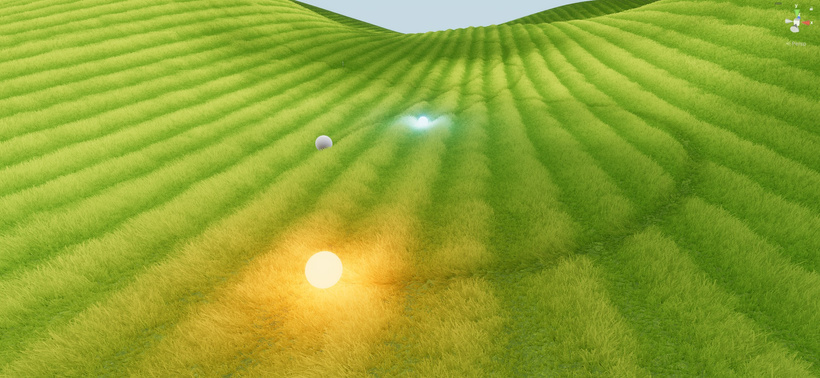
According to the documentation, this method allows very large numbers of grass meshes to be rendered while keeping draw calls manageable. This system operates on mesh surfaces rather than Unity Terrain, which makes it suitable for environments built from modular meshes.
Multiple surfaces can be assigned at the same time, so you can paint grass across different parts of a scene without being limited to a single mesh.
Multiple surfaces can be assigned at the same time, so you can paint grass across different parts of a scene without being limited to a single mesh.
Painting Grass on Mesh Surfaces
Grass placement happens directly inside the Unity editor using paint tools. After assigning meshes as grass surfaces, developers can paint grass distribution across those surfaces using a brush.
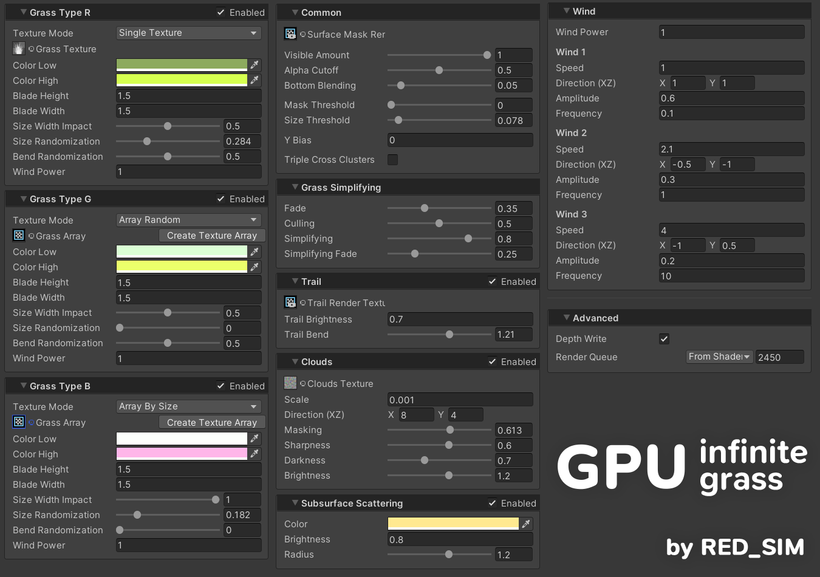
Eraser and fill tools help adjust coverage when refining the layout. Up to three grass types can be configured, each with parameters controlling properties such as size, width, wind behavior, and texture variation.
Rendering Controls
Rendering large areas of vegetation usually requires some control over what is visible at any given moment. This tool has a few settings that allow you to adjust it.
Grass density can be limited through draw amount controls, while distance-based simplification reduces the number of visible instances as objects move farther from the camera. The system performs camera frustum culling, which prevents grass outside the visible view from rendering.
These settings allow the amount of grass being drawn to be tuned depending on the target platform.
These settings allow the amount of grass being drawn to be tuned depending on the target platform.
Example Scene and Setup
The package provides an example scene and a prefab that you can drop directly into a Unity project. Setup usually begins by adding the Grass Particle Surface Manager prefab to the scene and assigning the mesh surfaces that will receive grass.
From there, you can paint grass across those surfaces using the editor tools and adjust the appearance and rendering behavior through the grass material and shader parameters.
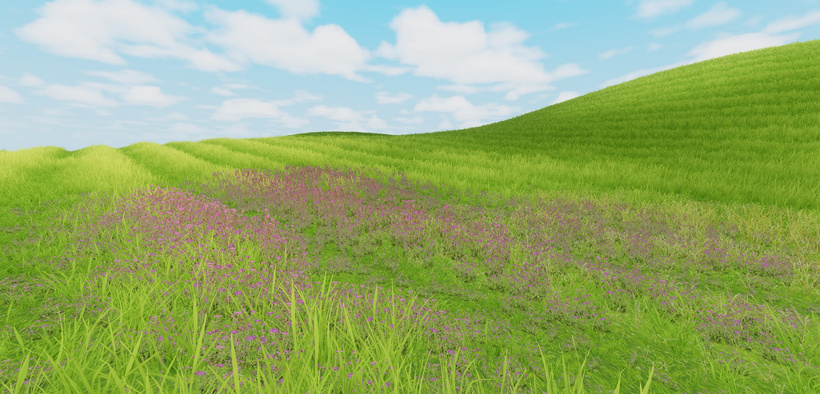
Want to see more from RED_SIM? Check out GPU Infinite Grass and their other projects on the pages shared below:
- The GPU Infinite Grass tool: https://www.patreon.com/posts/150937086
- Their X: https://x.com/RED_SIM
- Their BlueSky: https://bsky.app/profile/sim.red
Interested in learning more?
If you are interested in diving deeper into technical art, The Technical Artist Bundle brings together three books that explore shader programming, game development math, and procedural visuals in Unity.
It’s designed for developers and artists who want to better understand the technical side of graphics, whether you are starting out or looking to expand your skills and knowledge.
If you're getting into technical art, this bundle might be exactly what you need. From math visualization to shader development in Unity. Check it out! ✨ https://t.co/kEsRlle0dM#madewithunity #indiedev #3DCG pic.twitter.com/cfgxd445r6
— The Unity Shaders Bible (@ushadersbible) December 8, 2025
Jettelly wishes you success in your professional career!
Did you find an error? No worries!
Write to us at [email protected], and we'll fix it!
Other posts that might interest you.
-
 After a short talk with LMHPOLY, we took a closer look at their Stylized Poly Nature Environment pack, designed for building stylized landscapes in Unity and UE.
 -
 How are stylized seasonal landscapes built in Unity? We cover Meadow Environment, an asset pack by Paul Turc (ANGRYMESH).
 -
 Check out Universal Animation Library 2, a CC0 animation pack by Quaternius built around a universal humanoid rig for use across Godot, Unity, and Unreal Engine.
